Launch Your ChatBook Pro AI Chatbot This Week
AI Chatbot, ChatBook Pro, Lead Generation, Automation, Web Design, Marketing
How to Launch Your First ChatBook Pro Smart AI Chatbot This Week
Want to turn more website visitors into conversations, leads, and clients—without adding more work to your day? With ChatBook Pro, you can launch a Smart AI Chatbot in just a few hours, even if you’re not technical. In this guide, you’ll see exactly how businesses and agencies can get a professional, on-brand AI Chatbot live this week and start capturing more opportunities 24/7!
1. Click. Chat. Convert. — Why ChatBook Pro Belongs on Your Website
Every visitor who lands on your website has a question, an intention, or a problem they’re quietly trying to solve. If they can’t get answers quickly, they leave. ChatBook Pro changes that. With a Smart AI Chatbot working on your site around the clock, visitors can click, chat, and get helpful, accurate answers in seconds—while you collect warm, qualified leads straight into your inbox or CRM.
Instead of static pages and contact forms that go ignored, ChatBook Pro turns your site into a live, interactive assistant. It guides visitors to the right service, captures their details at the perfect moment, and keeps them engaged long enough to convert. You get more conversations, more bookings, and more sales—without hiring extra staff or extending your working hours.
💡 Pro Tip: Treat your AI Chatbot as a digital team member—give it clear instructions, a friendly tone, and a specific role in your sales or support process.
2. What Can ChatBook Pro Actually Do for Your Business or Agency?
ChatBook Pro is more than a simple widget—it’s a Smart AI platform designed to support marketing, sales, and service teams. Here are some of the most powerful ways businesses and agencies use ChatBook Pro today:
Answer questions instantly 24/7 — From pricing and availability to processes and timelines, your AI Chatbot can respond in natural language, using your own content and FAQs as its knowledge base.
Capture and qualify leads automatically — ChatBook Pro can ask for names, emails, company details, and project information at the right time, then send those leads straight to your inbox or CRM so your team can follow up fast.
Book calls and demos — Connect ChatBook Pro to your calendar or booking flow so visitors can schedule meetings directly from the chat, without back-and-forth emails or phone tag.
Guide visitors through your site — Instead of hunting through menus, visitors can simply ask, “Do you offer website redesigns?” or “Where’s your pricing?” and your Smart AI will direct them to the relevant page or answer on the spot.
Handle routine support — For common support questions—like “How do I reset my password?” or “What’s your refund policy?”—ChatBook Pro gives consistent, accurate answers, freeing your team to handle more complex issues.
📌 Key Takeaway: ChatBook Pro combines Smart AI, lead capture, and automation so your website finally works like a live sales and support channel—not just an online brochure.
3. Who Is ChatBook Pro Perfect For? (Hint: It’s Built for Busy Pros!)
a) Web designers and agencies
If you design or manage websites for clients, ChatBook Pro lets you add serious value—without adding complexity. You can include an AI Chatbot as part of your standard website package or offer it as a high-margin add-on. Either way, you’re delivering smarter, more interactive sites that convert better and feel more premium.
Install ChatBook Pro on client sites in minutes with a simple script or plugin.
Train each AI Chatbot on the client’s services, FAQs, and tone of voice—no coding required.
Offer ongoing chatbot optimisation as a recurring service, backed by ChatBook Pro’s analytics and updates.
b) Marketing teams and consultants
Marketers love tools that capture more leads and give better insight into buyer intent. ChatBook Pro does exactly that. You can design conversational flows that mirror your campaigns, personalise follow-up questions, and route hot leads to sales within minutes. Plus, every interaction becomes a data point you can learn from and optimise over time.
c) Service-based businesses and SaaS companies
Whether you run a consultancy, agency, or software platform, your prospects want clarity—fast. A Smart AI Chatbot powered by ChatBook Pro can explain your offers, qualify prospects, share case studies, and direct them to the next best step, all while your team focuses on delivery and strategy. It’s like having a friendly, informed team member on duty at all times.
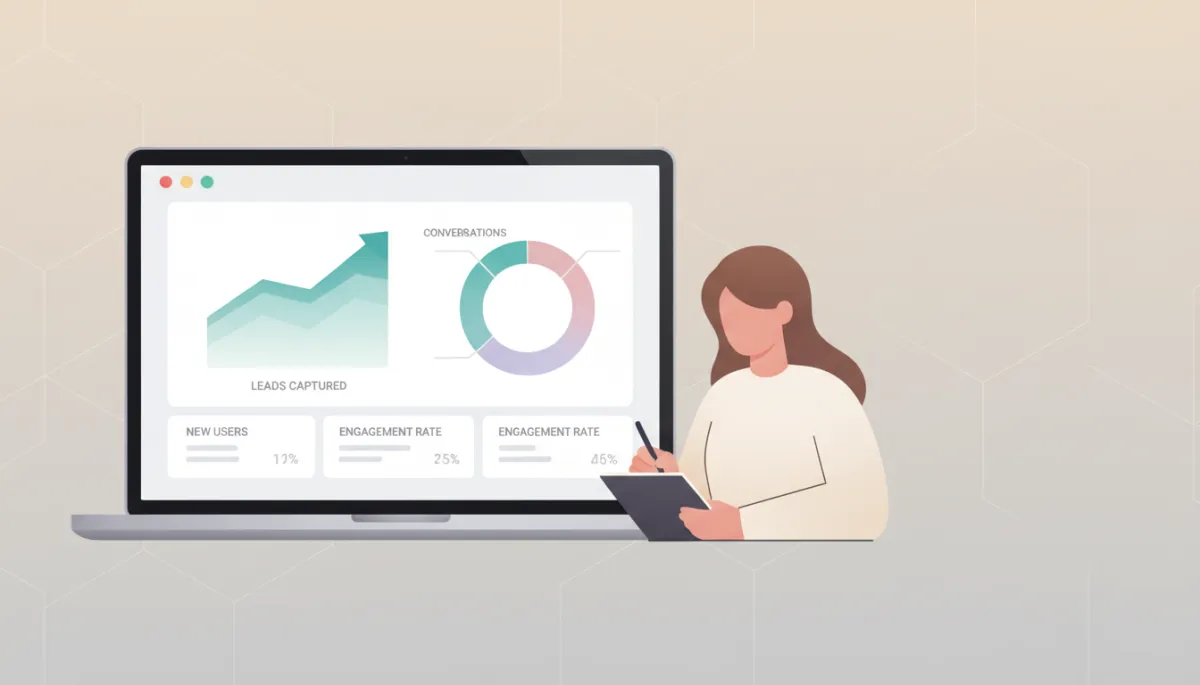
ChatBook Pro helps teams see exactly how Smart AI conversations turn visitors into qualified leads.
4. How to Launch Your First ChatBook Pro Smart AI Chatbot This Week
Ready to launch your first chatbot? You don’t need a developer, a data scientist, or a big budget. You just need a clear goal and a few pieces of content you already have. Here’s a simple step-by-step plan you can follow to launch ChatBook Pro in days—not months.
Step 1: Decide your chatbot’s primary job
Start by choosing one main outcome you want from your AI Chatbot. That focus will make your setup faster and your results stronger. For example, you might decide your first ChatBook Pro bot will:
Capture leads for sales calls or demos, or
Answer pre-sales questions to reduce friction and support tickets, or
Onboard new customers and guide them to their “first win” with your service.
💡 Pro Tip: For your first Launch Chatbot project, pick a single high-impact page—like your homepage, pricing page, or key landing page—and design your AI Chatbot around that journey.
Step 2: Gather the content your Smart AI will learn from
ChatBook Pro becomes powerful when it understands your business. Fortunately, you already have most of what it needs—on your website and in your documents. Pull together:
Key website pages (services, pricing, about, FAQs, case studies)
Any existing FAQ documents or help articles your team uses
Short descriptions of your offers, processes, and typical client profiles
You’ll feed this content into ChatBook Pro as the dataset for your AI Chatbot. The platform then uses Smart AI to respond in a way that reflects your expertise and stays aligned with your brand.
Step 3: Configure your chatbot’s personality and tone of voice
Next, you’ll shape how your ChatBook Pro bot sounds and behaves. This is where you make your AI Chatbot feel like part of your team. Within the dashboard, you can:
Choose a friendly, professional tone that matches your brand voice.
Add a short “role description” so the bot knows its job—for example, “You are an AI assistant for a B2B marketing agency, focused on qualifying leads and booking discovery calls.”
Set welcome messages and suggested prompts that encourage visitors to start chatting.
Step 4: Decide when and where your chatbot appears
With ChatBook Pro, you can control exactly how your AI Chatbot shows up on your site. For example, you can:
Display the chat widget on every page, or only on specific high-intent pages like pricing or contact.
Trigger the chatbot after a short delay, on scroll, or when exit intent is detected, so you catch visitors before they leave.
Customise colours and branding to blend seamlessly with your web design and maintain a polished, professional look.
Step 5: Connect lead capture and notifications
A Smart AI Chatbot is only as valuable as the leads and actions it generates. ChatBook Pro makes it easy to plug your bot into your existing workflows. You can:
Collect name, email, company, and custom fields directly in the chat flow.
Send instant email notifications to your team when a new lead or hot opportunity appears.
Integrate with your CRM or marketing tools so leads are automatically logged and nurtured.
Step 6: Install the chatbot on your site and go live
Once you’re happy with your setup, adding ChatBook Pro to your website is straightforward. You simply copy a small embed code or use a supported plugin, paste it into your site, and your AI Chatbot is live. Test a few conversations yourself, ask colleagues to try it, and watch how quickly it becomes part of your digital experience.
💡 Pro Tip: Keep an eye on the first week of conversations. You’ll quickly spot new questions, objections, and ideas for improving your messaging across your entire marketing funnel.
5. Pricing Made Simple — What Does ChatBook Pro Cost?
ChatBook Pro is built for professionals who want clear, predictable pricing. Each AI Chatbot runs on its own subscription, so you can scale up or down as your needs grow. Whether you’re testing your first bot or rolling out a fleet of assistants across multiple client sites, you stay in control of your costs while enjoying enterprise-grade Smart AI capabilities.
Flexible tiers designed for solo consultants, growing agencies, and larger teams.
Unlimited conversations on most plans, so you’re never penalised for engaging your audience.
Transparent billing via secure payment providers, with the option to upgrade as your usage increases.
For the latest plan details and to see which option best fits your business, visit www.chatbookpro.com. You’ll find a clear comparison of features, limits, and pricing so you can make a confident decision in minutes.
6. Meet Your Always-On AI Assistant — Powered by ChatBook Pro
Behind every great AI Chatbot is a reliable platform. ChatBook Pro is engineered to be that dependable backbone for your automation strategy. It’s constantly learning from the latest advances in Smart AI, while giving you practical, easy-to-use tools that fit into your day-to-day operations. That means less time wrestling with settings—and more time closing the leads your chatbot brings in.
Your bot is always available, always polite, and always on-brand. It never forgets a key detail, never gets tired of answering the same question, and never leaves a visitor waiting. For businesses and agencies serious about lead generation, automation, and professional web design, ChatBook Pro quickly becomes a trusted part of the team.
7. What’s Next? Learn, Optimise, and Scale with ChatBook Pro
Launching your first chatbot is just the beginning. Once ChatBook Pro is live, you’ll start to see patterns—common questions, frequent objections, and topics that spark the most interest. Use these insights to refine your website copy, sales scripts, and marketing campaigns. Over time, your AI Chatbot becomes a powerful feedback loop that sharpens and improves every part of your customer journey.
Add new FAQs and resources to your dataset as your services evolve.
Test different welcome messages and prompts to boost engagement rates.
Roll out additional bots for specific campaigns, product lines, or high-value client accounts.
📌 Key Takeaway: Treat ChatBook Pro as a living part of your marketing and sales system—small, regular improvements compound into big gains in conversions and customer satisfaction.
8. Ready to Launch Your ChatBook Pro AI Chatbot This Week?
If you’ve been thinking about adding an AI Chatbot to your website, this is your moment. You don’t need to rebuild your site, hire a specialist, or wait for a long development project. With ChatBook Pro, you can launch a Smart AI assistant in days, start capturing more leads, and give your visitors the fast, friendly experience they expect from modern brands.
Whether you’re a web design agency looking to offer smarter sites, a marketing team focused on conversion, or a growing business ready to automate more of your customer journey, ChatBook Pro is built for you. It’s innovative, trustworthy, and genuinely helpful—exactly what you need in a partner for your next phase of growth.
Take the next step today: visit www.chatbookpro.com to explore features, pricing, and live examples. In just a few clicks, you can start your first project, launch a Chatbot for your website, and let ChatBook Pro’s Smart AI begin working for your business—24/7, from this week onwards.